The Best Crypto Scalping Bots: What Actually Works After Fees
Quick Summary
Most crypto scalpers lose money after fees. In one large sample, 97% of people who day-traded for more than 300 days still lost money (Chague et al., 2020). A scalping bot only helps if the total cost math works, because fees and slippage eat razor-thin margins faster than raw speed can win them back. This guide ranks the best crypto scalping bots by use case, shows the real cost math nobody puts on the sales page, and covers the risk rules that separate survivors from blown accounts. No fluff, no fake rankings.
Here's the thesis up front: after fees, most scalping loses money, so the best crypto scalping bot is the one whose total cost lets the math work in your favor. Scalping runs on razor-thin margins and brutal fee sensitivity, which is exactly why the tool you pick, and what it costs you, matters more than any flashy feature list.
Bots still dominate scalping for one simple reason: you can't click fast enough. A human takes about a quarter second to react to what's on screen, with the median on Human Benchmark's reaction test sitting around 273 ms. An exchange API round-trip can complete in tens of milliseconds. Add the market's 24/7 nature and tight spreads on major pairs, and this becomes one of the few strategies where automation genuinely beats manual trading. You just can't scalp a 0.3% move on a 1-minute chart by hand. A bot can.
So the real question isn't "should I use a scalping bot?" It's which bot, at what cost, and with what safeguards. That's what this guide covers: what's out there, ranked by use case, and whether the numbers actually work in your favor.
New to trading bots? Start with our beginner's guide to crypto trading bots first. If you already know the ropes and just want the right tool, keep reading.
How Do Scalping Bots Actually Work?
A crypto scalping bot turns a chart signal into a live exchange order without you touching the mouse. Your strategy fires an alert, the alert sends a webhook to the bot, and the bot places the order through your exchange's API. The whole round trip runs in well under a second, day and night.
The chain has four links. First, a signal source: usually a Pine Script strategy or an indicator on TradingView that decides when to enter and exit. Second, a TradingView alert that fires the instant your condition is met. Third, a webhook, a small JSON message carrying the trade details to the bot. Fourth, the bot's API call that opens or closes the position on Binance, Bybit, OKX, or wherever you trade. If you want to see exactly what rides inside that message, our breakdown of the TradingView webhook payload walks through every field.

One distinction trips people up early: a signal-based scalping bot is not a grid bot. A scalper takes directional trades when your strategy says so; a grid bot mechanically places orders across a price range and profits from chop. They suit different markets, and we unpack the difference in the FAQ below.
What Actually Matters in a Scalping Bot
Four things decide whether a scalping bot helps or bleeds you: execution speed, cost structure, risk controls, and exchange support. Everything else is a nice-to-have. When you're chasing 0.2 to 0.5% moves, a slow fill or a per-trade fee quietly turns a winning strategy into a losing one.
Execution speed. This is non-negotiable. When your target is a fraction of a percent, latency is the difference between the fill you backtested and the one you actually get. You want sub-second webhook processing and, ideally, direct execution endpoints that skip any queuing. Anything above a second on a 1-minute chart puts you at a real disadvantage, since the edge you modeled disappears into slippage before the order lands.

TradingView is where most retail traders already build their charts, so a bot that connects to it directly saves you a whole translation layer. If you're already running Pine Script strategies, being able to auto-execute them on your exchange through webhooks or alerts is a genuine workflow advantage rather than a gimmick.
Cost structure. This is where most people get burned. Some platforms charge per trade, others take a percentage, and others bill a flat monthly subscription. For scalping, per-trade fees compound in genuinely scary ways because you might run 50 to 200 trades in a single day. We dig into the real math below.
Risk management. Stop losses, position sizing controls, and daily loss caps aren't optional extras for scalping. They're survival gear. A bot without proper risk controls is a money incinerator with extra steps.
Visibility when trades fail. At 50-plus orders a day, you need to know the moment one doesn't land. With TradingView Hub, a failed trade shows up as an activity log entry; TradingView itself never gets a usable status code back, so the log is where you diagnose it, not the alert. Our doc on how to debug a failed alert covers the common causes.

Exchange support. More exchanges means more liquidity to work with. Realistically, most scalpers stick to Binance and Bybit for the tight spreads and deep order books, so make sure your bot supports the venues you actually trade on.
Best Crypto Scalping Bots Compared
No bot wins on every axis, so ranking them one to five is close to useless. The right pick depends on your scalping style: TradingView signals, grid and range, AI-assisted, or all-in-one. Here's which tool fits which approach, followed by a side-by-side table.
Best for TradingView signal scalping: TradingView Hub processes webhooks in under a second through dedicated fast endpoints. It charges a flat rate with no per-trade fees, and the bot itself is free if you open your exchange account through one of its referral links. Bitget is free on a launch offer until 31 October 2026, referral or not, which our Bitget futures automation guide explains. If you're already running Pine Script strategies, it's the most direct path to automating those signals on Binance, Bybit, OKX, and four other exchanges. The honest limits: seven supported exchanges is fewer than some rivals, and there's no built-in grid bot.
Best for grid and range scalping: Pionex gives you free built-in grid bots, which is hard to argue with for sideways markets. Bitsgap offers more advanced grid configuration across 25-plus exchanges if you need finer control.
Best for scalping with AI help: Cryptohopper has an AI strategy builder and a marketplace of community strategies to try. Its backtesting is a decent tool, but remember that no AI is a magic bullet. It only makes a bad strategy slightly less bad.
Best all-in-one automation: 3Commas packs DCA bots, smart trades, and TradingView webhooks into one package. It's a solid service, though the higher price point stings when you're scraping by on thin scalping margins. If cost is the issue, see our page on affordable alternatives to expensive scalping bots.
Best for ultimate customization: HaasOnline lets you build custom bots with its HaasScript language and even self-host them. It's overkill for 99% of people, but if you want total control over every detail, this is where you go.
A Quick Comparison
| Feature | TV-Hub | 3Commas | Cryptohopper | Bitsgap | Pionex |
|---|---|---|---|---|---|
| Bot cost / month | Free via referral, else from $23 | $49 | $29 | $29 | Free |
| Fees per trade | None | None | None | None | Built into spread |
| TradingView webhooks | Yes | Yes | Yes | Yes | No |
| TradingView Essential needed | Yes | Yes | Yes | Yes | No |
| Grid bots | No | Yes | Yes | Yes | Yes |
| Exchanges supported | 6 | 18 | 15 | 25+ | Built-in |
| Demo/paper trading | Yes | Yes | Yes | Yes | No |
| Trailing stop loss | Yes | Yes | Yes | Yes | Limited |
One row deserves a note: every webhook-based bot in this table needs at least TradingView's entry paid tier, Essential, because that's where webhook alerts start. That's a tie, not a TV-Hub advantage, and any platform claiming a free-plan webhook workaround is out of date. Pionex is the exception only because it runs its own grid engine and doesn't touch TradingView at all.
No bot really does everything well. If you're after the cheapest TradingView scalping setup, TV-Hub's flat rate (or free via an exchange referral) is hard to beat. If you need grid bots or support for 25-plus exchanges, you'll be looking elsewhere. It comes down to your specific strategy and workflow.
Start Scalping With TradingView Signals
Flat-rate pricing with no per-trade fees, or run the bot free through an exchange referral link. Webhooks execute in under a second.
Start Free Trial View DocumentationThe Real Cost of Scalping: The Numbers Nobody Cares to Mention
Here's the short version before the math: on spot taker fees you need to win roughly 92% of your trades just to break even, and switching to futures maker orders drops that to about 57%. Fees, not signals, decide whether scalping is profitable. This is where we either give you a kick in the pants or make you run for cover. Either way, you'll know exactly what you're getting into.
Take a realistic example. You have a $5,000 account and use $1,000 per position for sensible risk. Your strategy targets 0.3% per trade, and you run about 50 trades a day. Sounds fine on paper. Here's how each trade breaks down:
- Gross profit on a winner: 0.3% of $1,000 = $3
- Exchange fees: ~0.2% round trip = $2
- Spread & slippage: ~0.05% = $0.50
- Net profit on a winning trade: $3 - $2 - $0.50 = $0.50
- Net loss on a losing trade: -$3 (stopped out) - $2.50 in fees = -$5.50
This is where it goes south. A reasonably good scalping strategy might win about 60% of trades. Out of 50 daily trades, that's:
- 30 winners x $0.50 = $15
- 20 losers x -$5.50 = -$110
- Daily net: -$95
Losing money while winning 60% of your trades? That's what the math nobody shows looks like. And it's our own worked example, not a borrowed statistic. In our testing, grid strategy paper returns of about 1% a day tend to shrink to roughly 0.2% a day once real fees and spread are in, an 80% haircut from simulation to reality. The gap between what fees take from your winners and what losses cost you is brutal at these margins.
To break even on spot taker fees, you'd need to win roughly 92% of your trades. That means being right 46 times out of 50, day after day. Now you see why most retail scalpers end up with a losing record.
Here's how you tilt the odds back:
- Switch to futures with limit orders. This one change does the most work. On Binance's fee schedule, futures maker fees run about 0.02% per side, so 0.04% round trip, versus 0.20% on spot taker orders. Because a limit order sets your fill price, slippage largely disappears too. Suddenly that winning trade nets about $2.60 instead of $0.50, and the break-even win rate drops from 92% to around 57%, which is a rate a decent strategy can actually reach. Bybit's maker/taker structure works the same way.
- Earn a VIP fee tier. The more volume you trade, the lower your fees. On Binance, tiered discounts start kicking in around $1M in monthly volume, which is a lot but not impossible for a dedicated scalper.
- Pick a flat-fee bot platform. With a monthly-fee platform like TradingView Hub, your 50th trade of the day costs the same to send as your first, no matter how many you fire. That keeps platform cost from compounding into thin margins.

There's one more lever, and it's the one nobody selling you a $49 bot wants to mention: the bot platform itself can cost you nothing. Open your exchange account through a TradingView Hub referral link (Bybit, Binance, OKX, Bitget, or KuCoin) and the bot is free. The exchange pays TV-Hub a share of the trading fees you were going to pay anyway, so the platform costs you $0. Full disclosure: that referral share is exactly how it stays free for you. Without a referral it's from $23 a month, and connecting an exchange like Bybit takes about ten minutes either way. Demo and paper trading are always free, referral or not.

So here's the honest bottom line on cost. Two things you can't wish away: TradingView Essential (every webhook bot platform needs at least the entry paid tier) and the exchange trading fees themselves, which you shrink with maker orders and a VIP tier, not with coupons. The one fixed cost you can drive all the way to zero is the bot platform, and referral pricing is how. If you're weighing whether any of this pays off, our guide on whether automated trading is actually profitable takes the question apart, and the Bybit and Binance setup pages cover the referral exchanges directly.
Keep Your Scalping Costs Low
No per-trade fees means your 50th trade costs the same as your first. The bot itself is free via an exchange referral link.
Start Free Trial View DocumentationScalping Risk Management: The Rules of the Road
The math can work, but only if you don't blow the account before it gets going. Three rules do most of the heavy lifting: risk 1% per trade, cap losses at 2% a day, and put a stop loss on every single order. Even a great bot won't save sloppy risk management, and scalping is high risk, high reward, so anything can happen.
1. Cap your risk at 1% per trade. On a $5,000 account, that's $50 maximum on any trade. You'll make dozens of trades a day, so one bad patch of 10 losers should cost you $500 at most, not the whole account. Whatever you do, don't crank the leverage to make up for small position sizes. Over-leverage is how accounts vanish in a single candle: crypto routinely sees hundreds of millions of dollars in liquidations in a single day when leverage gets crowded (Coinglass), and over-leveraged scalpers are first in line.
2. Set a 2% daily loss limit and actually stick to it. Down $100 on a $5,000 account? Shut the bot down and walk away. The market will still be there tomorrow. Revenge trading through a losing streak is one of the fastest ways to wreck an account and a common automated trading mistake.
3. Use stop losses every time. No exceptions. Every account that has blown up said "I'll just keep an eye on it" first. Your bot should have a stop loss on every single trade, set at 0.2 to 0.4% on a 1-minute chart and a little wider on longer timeframes.
So how do you know if a strategy actually works? Paper trade for at least two weeks before risking real money, and track your win rate, average profit, and maximum drawdown. If the numbers don't stack up on paper, they won't on real cash either, and the stress of live money only makes your decisions worse.
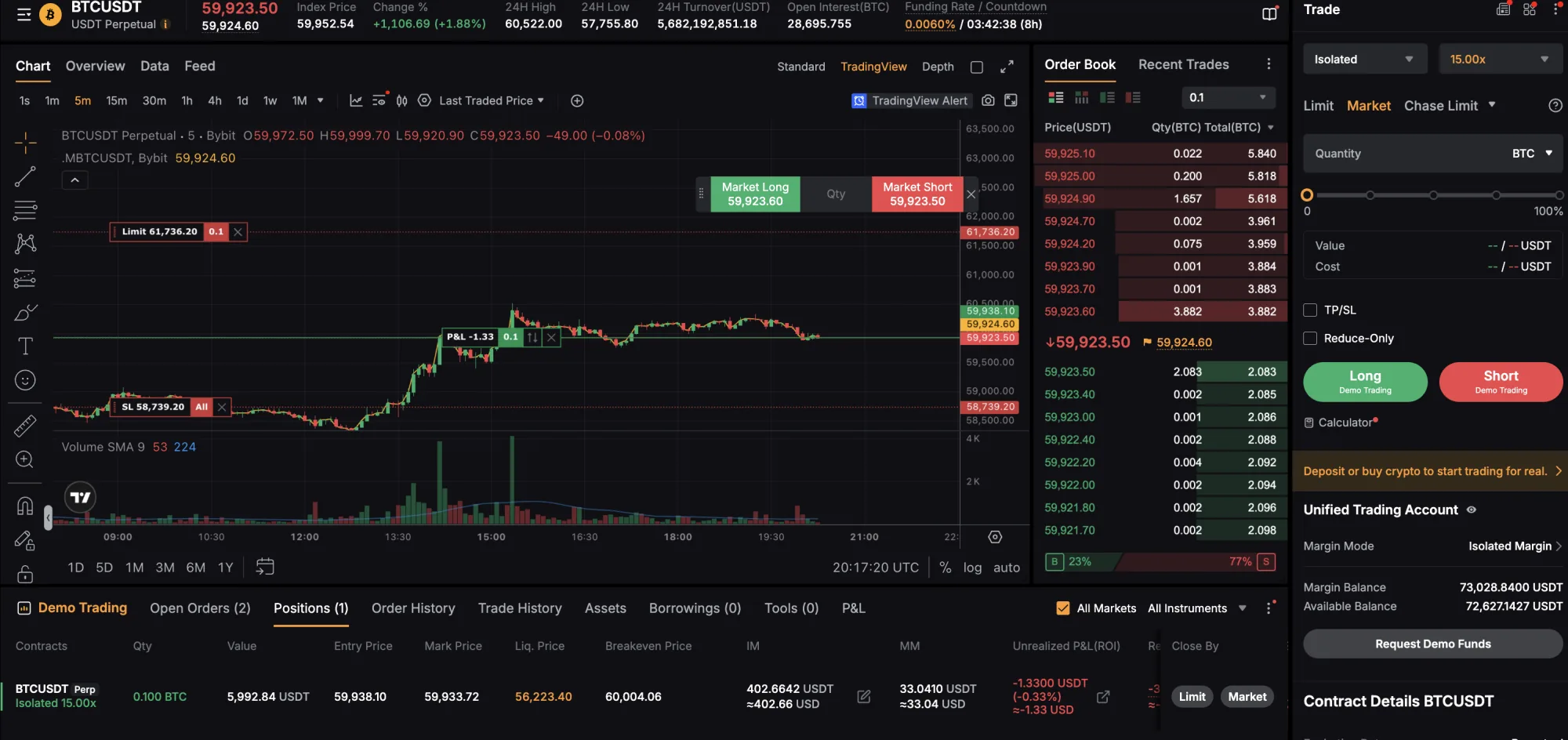
When you do go live, start at 25% of your intended position size for the first month and see how it holds up. Only scale up after you've seen real results. And the best exchanges for scalping, such as Binance and Bybit, both have demo environments where you can test everything risk free. That paper trading is fully supported by TV-Hub with no subscription required.
Frequently Asked Questions
Get profitable on spot for at least two or three months first and build a real track record. If you do move to futures, keep leverage low, 3 to 5x at most. Anyone pushing a 20x scalping bot is either selling something or hasn't traded their own real cash.
Ready to Automate Your Scalping Strategy?
Join thousands of traders already using TV-Hub to automate their crypto scalping strategies. No per-trade fees, sub-second execution.
Start Free Trial View Documentation