OKX Demo
OKX Demo Trading runs on okx.com itself, toggled from the Trade menu. There is no separate demo site or login, and the exchange field in your alert stays okx. The demo flag on your TVH key routes orders to OKX's paper-trading endpoint.
No OKX account yet? Sign up with our link.
Demo and paper trading on TVH are always free (even prop-firm demo accounts); you only need a subscription once you trade a live account.
- TradingView account with webhook support
- A free TradingView Hub account (no subscription needed for demo trading)
Step 1 — Create your OKX demo key
You create the API key inside OKX's Demo Trading view. It comes with free demo USDT, so nothing here touches real money.
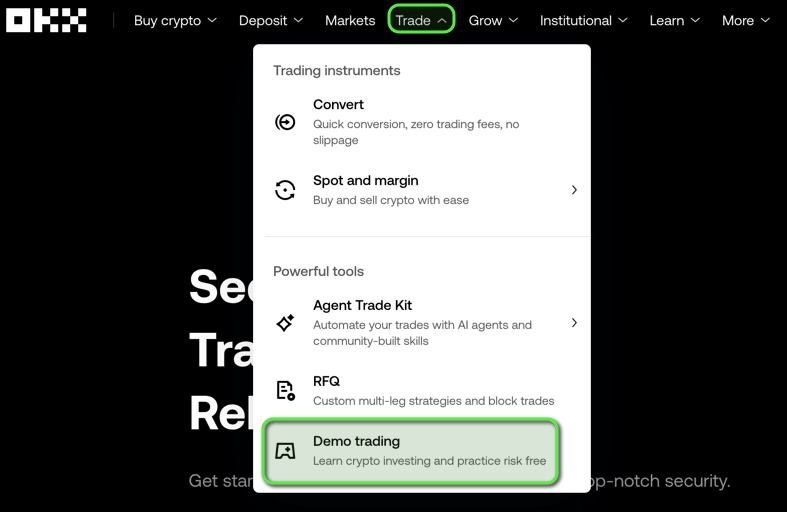
1. Switch to Demo Trading. In OKX, open the Trade menu in the top navigation and choose Demo trading. The top bar then shows a Live trading button, confirming demo mode.
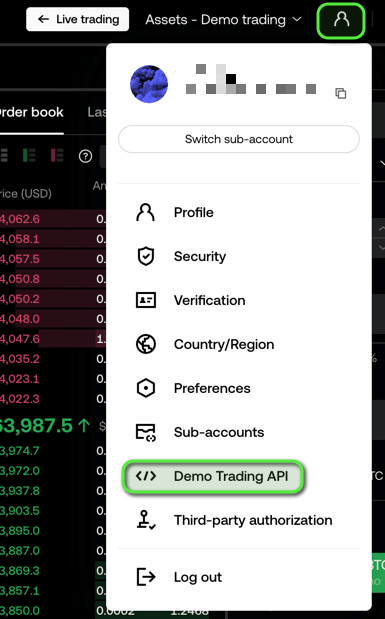
2. Open Demo Trading API. Click the profile icon (top-right) and choose Demo Trading API. You can also open it directly at okx.com/account/my-api (EU accounts: okx.com/en-eu/account/my-api).
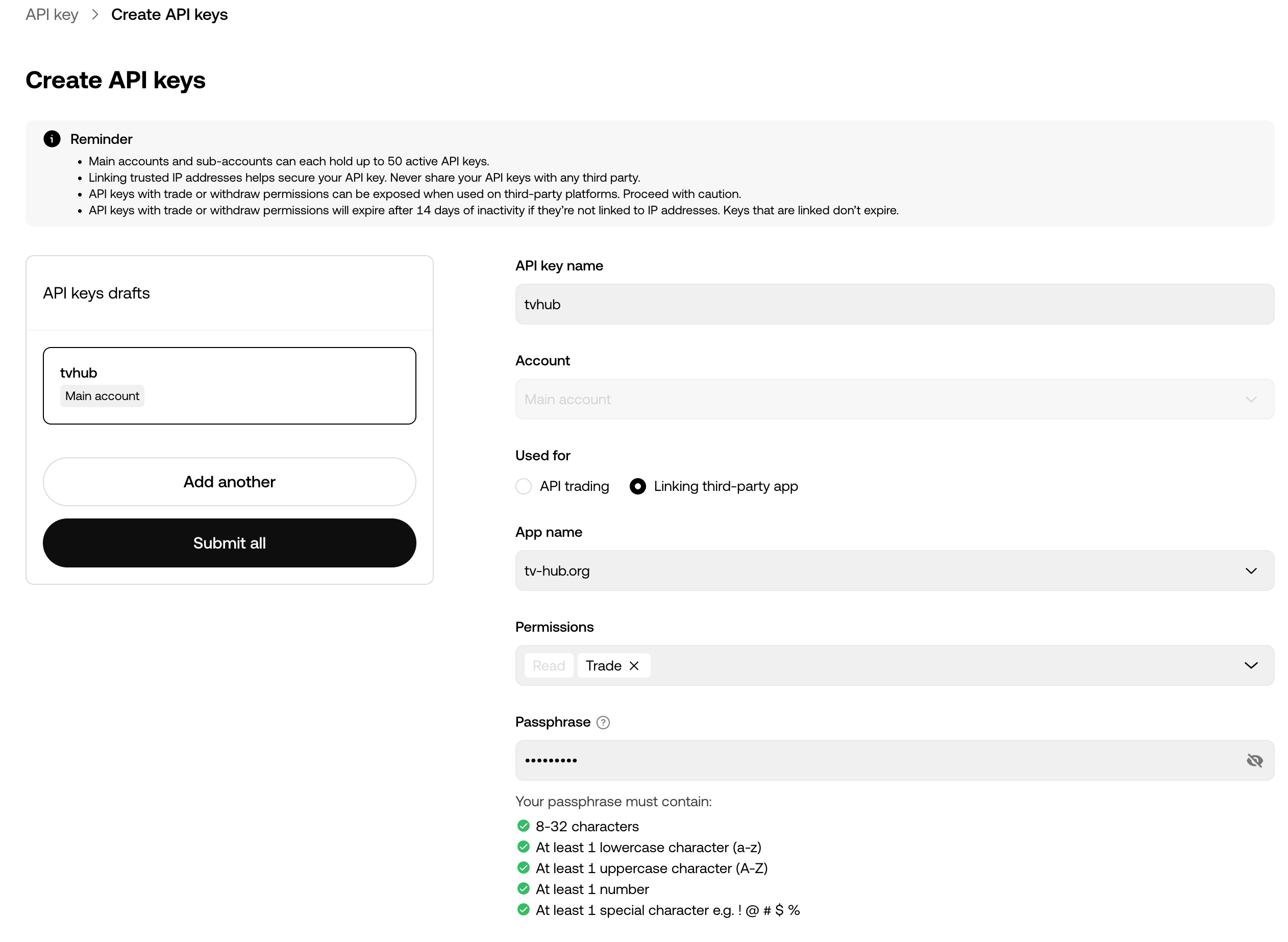
3. Create the key. Fill the form, then submit:
- API key name: anything, for example
tvhub. - Permissions: enable Trade.
- Passphrase: set one. You need it in TVH.
Copy the API Key, Secret, and Passphrase. You add all three to TVH next.
Step 2 — Add the demo key to TVH
Open Account → Settings → API Keys and click Add new.
- Pick OKX from the exchange dropdown.
- Choose a name for the key, for example
okx-demo. Your alert references this exact name in itsapiKeyfield. - Paste the API Key, Secret, and Passphrase.
- Tick Demo Account, then save.
- Open the Trade Command Builder and confirm your demo balance is shown. If it appears, the key is connected correctly.
Step 3 — Set up the TradingView alert
From here the alert setup is identical to the Quickstart. Follow the Quickstart alert setup to create the TradingView alert with the webhook URL, paste your JSON trade command, and verify the fill.
Use okx as the exchange, OKX's dashed pair format (BTC-USDT), and an instrumentType:
{
  "exchange": "okx",
  "pair": "BTC-USDT",
  "instrumentType": "spot",
  "isBuy": true,
  "isMarket": true,
  "unitsType": "percent",
  "unitsPercent": 1,
  "apiKey": "okx-demo",
  "token": "YOUR_TOKEN"
}